
Lenovo
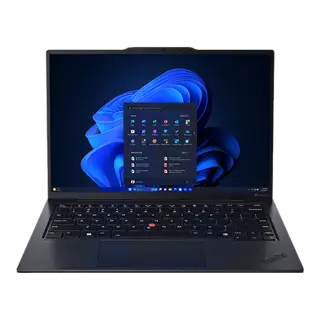
Lenovo ThinkPad X1 Carbon Gen 12
Laptops
$1,849List price
Explore this product Your shortlist, side by side
Find the differences that matter for your next decision.
Laptops
Laptops
Start with all rankable specifications, or focus on a particular use.
Your starting point
We compare the published specifications relevant to your priority. Each rankable specification counts once; your selected requirements can rule a product out. This is a guide to the numbers, not a laboratory performance score.
Resolution: 3840 × 2400 vs 2880 × 1800
Lenovo ThinkPad X1 Carbon Gen 12 is $1,150 cheaper. Pay the difference only if size matters to you.
The trade-off to know
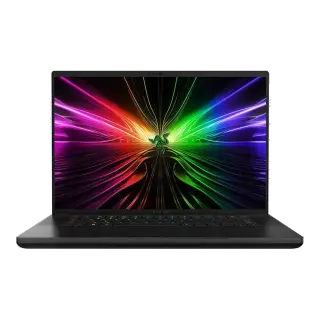
Check first: the Razer Blade 16 weighs over 4 lb (1.8 kg). Tick them under deal-breakers if that rules it out.
Look at the differences ↓Side by side
Start with the key specs, then explore as much as you need.
| What you’re comparing | Lenovo ThinkPad X1 Carbon Gen 12 | Razer Blade 16 (2024) |
|---|---|---|
| SizeDisplay | 14.0 inches | 16.0 inches |
| PanelDisplay | OLED 2.8K Anti-glare | Dual-Mode Mini-LED (UHD+ / FHD+) |
| ProcessorPerformance | Intel Core Ultra 7 155H | Intel Core i9-14900HX |
| MemoryPerformance | 32GB LPDDR5x | 32GB DDR5 |
| Claimed battery lifeBattery | ~11–13 hours mixed use | ~4–6 hours mixed use |
Showing 5 of 29 specifications. Missing values stay unlisted. About the sources
Both sides of the decision
Beyond the spec sheet
Explore the ownership details available for this pair.
Real-world travel weight including chargers, bag fit, and lap thermals.
Backpack Sleeve Compatibility
Fits standard 13"–14" slim backpack sleeves
Standard laptop bag sleeve
Lap Ergonomics & Vent Placement
Dual fans exhaust to side/rear; stays cool on lap during typing
Standard hinge exhaust
Total Travel Weight (Chassis + Charger)
2.42 lb laptop + compact 65W GaN adapter = ~3.0 lb total carry
Standard carry weight
Documented ergonomic quirks, hardware annoyances, and maintenance realities reported by real owners.
Lenovo: What to watch for
Black soft-touch rubberized coating shows hand grease within minutes.
Razer: What to watch for
Know what’s behind the comparison
Clinchmark compares manufacturer specifications and other published information. We have not independently lab-tested these products. Editorial assessments and unknown values are identified in the specification details.
Catalog snapshot: September 1, 2026. Prices, availability, and provider terms can change.
Lenovo ThinkPad X1 Carbon Gen 12 costs $1,150 less at list price.
Both has this deal-breaker: no touchscreen. No pen or touch input for marking up PDFs or sketching.
For travel, buy the Lenovo ThinkPad X1 Carbon Gen 12. Leads 3 of 4 rankable travel specs; Razer Blade 16 takes 1. Claimed battery life: ~11–13 hours mixed use vs ~4–6 hours mixed use
Of the 29 specs tracked here, 22 are descriptive and cannot be ranked on numbers alone. Spec sheets also cannot measure subjective factors like build quality, real-world performance, or comfort.