Head to head
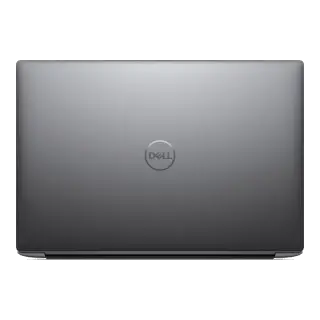
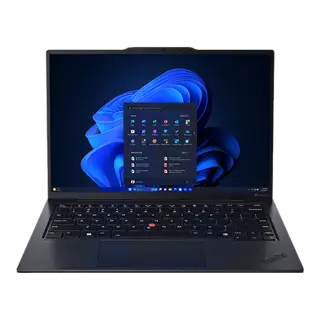
Lenovo ThinkPad X1 Carbon Gen 12 vs Dell XPS 14 (2024)
They split the 6 rankable specs evenly, so cost decides it: Dell XPS 14 (2024) costs $150 less.
Catalog as of September 1, 2026
Why, in numbers
Swap
Compare a different laptop
Microsoft Surface Pro 11th Edition$999MacBook Air 13" (M3)$1,099MacBook Air 15" (M3)$1,299Dell XPS 13 (2024)$1,299Microsoft Surface Laptop 7 (15")$1,499ASUS ROG Zephyrus G14 (2024)$1,599MacBook Pro 14" (M4)$1,599HP Spectre x360 16 (2024)$1,699Lenovo Yoga Pro 9i 16$1,799Framework Laptop 16$1,999MacBook Pro 14" (M4 Pro)$1,999Lenovo ThinkPad X1 Carbon Gen 13 Aura Edition$1,999Dell XPS 16 (2024)$2,199ASUS ROG Zephyrus G16 (2024)$2,299MacBook Pro 16" (2024)$2,499Razer Blade 16 (2024)$2,999MacBook Pro 16" (M4 Max)$3,499Swap
Compare a different laptop
Microsoft Surface Pro 11th Edition$999MacBook Air 13" (M3)$1,099MacBook Air 15" (M3)$1,299Dell XPS 13 (2024)$1,299Microsoft Surface Laptop 7 (15")$1,499ASUS ROG Zephyrus G14 (2024)$1,599MacBook Pro 14" (M4)$1,599HP Spectre x360 16 (2024)$1,699Lenovo Yoga Pro 9i 16$1,799Framework Laptop 16$1,999MacBook Pro 14" (M4 Pro)$1,999Lenovo ThinkPad X1 Carbon Gen 13 Aura Edition$1,999Dell XPS 16 (2024)$2,199ASUS ROG Zephyrus G16 (2024)$2,299MacBook Pro 16" (2024)$2,499Razer Blade 16 (2024)$2,999MacBook Pro 16" (M4 Max)$3,499Buying for
Your devices
Straight answer
Overall: 3 to 3
Tied overall. Dell XPS 14 is cheaper.
- The 6 rankable overall specs split 3 to 3.
- Saves $150 at list price.
Deal-breakers
tick what would make you walk away
- Trips:Lenovo ThinkPad X1 Carbon Gen 12 · No (non-touch standard)Clear:Dell XPS 14 · Yes (on OLED configuration)
- Trips:Lenovo ThinkPad X1 Carbon Gen 12 · No (soldered)Trips:Dell XPS 14 · No (soldered)
- Clear:Lenovo ThinkPad X1 Carbon Gen 12 · HDMI 2.1Trips:Dell XPS 14 · No (via included USB-C to HDMI adapter)
At a glance
The handful of numbers that decide most purchases in this category.
Panel≠
Lenovo
OLED 2.8K Anti-glare
Dell
3.2K OLED InfinityEdge touch (or FHD+ IPS)
Processor≠
Lenovo
Intel Core Ultra 7 155H
Dell
Intel Core Ultra 7 155H (16 cores: 6P + 8E + 2 Low Power E, Intel AI Boost)
Memory≠
Lenovo
32GB LPDDR5x
Dell
32 GB LPDDR5x (7467 MT/s)
Claimed battery life
Lenovo
~11–13 hours mixed use
Dell
Up to 12 hours (IPS) / ~8-9 hours (OLED)
True 3-Year Cost of Ownership (TCO)
Lenovo ThinkPad X1 Carbon Gen 12
Dell XPS 14
Commuter Portability & Lap Comfort Check
Real-world travel weight including chargers, bag fit, and lap thermals.
Backpack Sleeve Compatibility
Fits standard 13"–14" slim backpack sleeves
Standard laptop bag sleeve
Lap Ergonomics & Vent Placement
Dual fans exhaust to side/rear; stays cool on lap during typing
Standard hinge exhaust
Total Travel Weight (Chassis + Charger)
2.42 lb laptop + compact 65W GaN adapter = ~3.0 lb total carry
Standard carry weight
The 90-Day Owner Regret Check
Documented ergonomic quirks, hardware annoyances, and maintenance realities reported by real owners.
Lenovo: What to watch for
- Hardware Quirk
Black soft-touch rubberized coating shows hand grease within minutes.
Dell: What to watch for
- Maintenance
Requires ongoing care to maintain peak out-of-box performance.
Display
leads 3-0| Size | 14.0 inches | 14.5 inches (wins this row: higher) |
|---|---|---|
| Panel | OLED 2.8K Anti-glare | 3.2K OLED InfinityEdge touch (or FHD+ IPS) |
| Resolution | 2880 × 1800 | 3200 × 2000 (3.2K) (wins this row: higher) |
| Refresh rate | 120 Hz | 120 Hz (variable VRR) |
| BrightnessNot on the official sheet | 400 nits SDR / 500 nits HDR | 400 nits OLED / 500 nits IPS |
| Color | 100% DCI-P3, Eyesafe certified | 100% DCI-P3 |
| Touchscreen | No (non-touch standard) | Yes (on OLED configuration) (wins this row: has it) |
Performance
5 differences| Processor | Intel Core Ultra 7 155H | Intel Core Ultra 7 155H (16 cores: 6P + 8E + 2 Low Power E, Intel AI Boost) |
|---|---|---|
| Graphics | Intel Arc Graphics (integrated) | NVIDIA GeForce RTX 4050 Laptop GPU (30W TGP) |
| Memory | 32GB LPDDR5x | 32 GB LPDDR5x (7467 MT/s) |
| RAM upgradable | No (soldered) | No (soldered) |
| Storage | 1TB PCIe 4.0 SSD | 1 TB PCIe 4.0 NVMe SSD |
| Storage upgradable | Yes (1× M.2 2280 NVMe) | Yes (1× M.2 2280 PCIe Gen4 slot) |
Build & input
leads 2-0| Weight | 2.42 lb (1.09 kg) (wins this row: lower) | 3.70 lb (1.68 kg) |
|---|---|---|
| Thickness | 14.9 mm (wins this row: lower) | 18.0 mm (0.71 inches) |
| Materials | Carbon Fiber + Magnesium alloy | CNC machined aluminum and Gorilla Glass 3 |
| Keyboard | ThinkPad backlit keyboard with TrackPoint | Zero-lattice backlit keyboard with capacitive touch function row |
| Trackpad | Haptic glass TrackPad + physical buttons | Seamless glass haptic precision touchpad |
| Webcam | 1080p FHD + IR with privacy shutter | 1080p FHD RGB-IR camera with Windows Hello |
| Speakers | Stereo speakers with Dolby Atmos | Quad-speaker design (2W woofer + 2W tweeter, 8W total with Waves MaxxAudio) |
Ports
5 differences| Thunderbolt / USB-C | 2× Thunderbolt 4 + 2× USB-A 3.2 | 3× Thunderbolt 4 (USB Type-C) with DisplayPort and Power Delivery |
|---|---|---|
| HDMI | HDMI 2.1 | No (via included USB-C to HDMI adapter) |
| SD card | No | 1× MicroSD v6.0 card slot |
| MagSafe | No | No |
| Headphone jack | Yes (3.5 mm) | Yes (3.5 mm headphone/microphone combo) |
| Charger | 65W USB-C Slim | 60W / 100W Type-C AC Adapter |
Battery
leads 1-0| Claimed battery lifeNot on the official sheet | ~11–13 hours mixed use (wins this row: higher) | Up to 12 hours (IPS) / ~8-9 hours (OLED) |
|---|
Software
2 differences| Operating system | Windows 11 Pro | Windows 11 Home |
|---|---|---|
| Repairability | High (modular battery, keyboard, and SSD) | Moderate (M.2 SSD and Wi-Fi replaceable) |
Which one should you buy
Pick this one if
Lenovo ThinkPad X1 Carbon Gen 12
Ultralight business flagship with carbon fiber lid, 2.8K 120Hz OLED option, and legendary keyboard.
- Featherweight 2.4 lb build with military-grade durability
- Best-in-class typing ergonomics and TrackPoint
- Extensive security features and robust port selection
What you give up
- Integrated Intel Arc GPU limits heavy 3D tasks
- OLED option reduces battery life compared to IPS
Pick this one if
Dell XPS 14 (2024)
14.5-inch creative laptop with CNC aluminum chassis, optional NVIDIA GeForce RTX 4050 graphics, 3.2K 120Hz OLED touch display, and seamless glass haptic touchpad.
- Dedicated NVIDIA RTX 4050 GPU in a compact 14.5-inch footprint
- Vibrant 3.2K 120Hz InfinityEdge OLED touch display
- High-quality quad-speaker array with deep bass response
What you give up
- Heavier than typical 14-inch ultrabooks at 3.7 lb (1.68 kg)
- Capacitive touch function row instead of physical keys
Best for each use
Travel
For travel, buy the Lenovo ThinkPad X1 Carbon Gen 12.
Heavy work
Too close to call on heavy work from the spec sheets.
Longevity
Too close to call on longevity from the spec sheets.
Done deciding?
Open the full standalone spec sheet for either device.
Manufacturer pages: Lenovo ThinkPad X1 Carbon Gen 12 ↗ · Dell XPS 14 (2024) ↗
Common questions
Which is cheaper, the Lenovo ThinkPad X1 Carbon Gen 12 or the Dell XPS 14?
Dell XPS 14 costs $150 less at list price.
What is the biggest catch with the Lenovo ThinkPad X1 Carbon Gen 12 or Dell XPS 14?
Lenovo ThinkPad X1 Carbon Gen 12 has this deal-breaker: no touchscreen. No pen or touch input for marking up PDFs or sketching.
Which is better for travel, the Lenovo ThinkPad X1 Carbon Gen 12 or the Dell XPS 14?
For travel, buy the Lenovo ThinkPad X1 Carbon Gen 12. Leads 3 of 3 rankable travel specs. Claimed battery life: ~11–13 hours mixed use vs Up to 12 hours
What cannot be compared from spec sheets?
Of the 29 specs tracked here, 23 are descriptive and cannot be ranked on numbers alone. Spec sheets also cannot measure subjective factors like build quality, real-world performance, or comfort.