
Lenovo
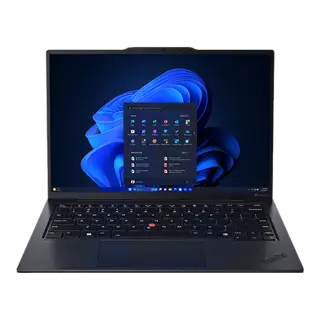
Lenovo ThinkPad X1 Carbon Gen 12
Laptops
$1,849List price
Explore this product Your shortlist, side by side
Find the differences that matter for your next decision.
Laptops

Laptops
Start with all rankable specifications, or focus on a particular use.
Your starting point
We compare the published specifications relevant to your priority. Each rankable specification counts once; your selected requirements can rule a product out. This is a guide to the numbers, not a laboratory performance score.
The trade-off to know
Lenovo ThinkPad X1 Carbon Gen 12: Integrated Intel Arc GPU limits heavy 3D tasks
Look at the differences ↓Side by side
Start with the key specs, then explore as much as you need.
| What you’re comparing | Lenovo ThinkPad X1 Carbon Gen 12 | MacBook Pro 14" (M4 Pro) |
|---|---|---|
| SizeDisplay | 14.0 inches | 14.2 inches |
| PanelDisplay | OLED 2.8K Anti-glare | Liquid Retina XDR mini-LED |
| ProcessorPerformance | Intel Core Ultra 7 155H | Apple M4 Pro (12-core CPU) |
| MemoryPerformance | 32GB LPDDR5x | 24GB unified |
| Claimed battery lifeBattery | ~11–13 hours mixed use | Up to 24 hours video playback |
Showing 5 of 29 specifications. Missing values stay unlisted. About the sources
Both sides of the decision
Beyond the spec sheet
Explore the ownership details available for this pair.
Real-world travel weight including chargers, bag fit, and lap thermals.
Backpack Sleeve Compatibility
Fits standard 13"–14" slim backpack sleeves
Fits standard 14" backpack laptop compartments
Lap Ergonomics & Vent Placement
Dual fans exhaust to side/rear; stays cool on lap during typing
Side intake vents with rear exhaust; rare fan ramp on lap
Total Travel Weight (Chassis + Charger)
2.42 lb laptop + compact 65W GaN adapter = ~3.0 lb total carry
3.50 lb laptop + 70W/96W brick = ~4.3 lb total carry
Documented ergonomic quirks, hardware annoyances, and maintenance realities reported by real owners.
Lenovo: What to watch for
Black soft-touch rubberized coating shows hand grease within minutes.
Apple: What to watch for
Sharp front perimeter chassis edge can press into wrists.
Know what’s behind the comparison
Clinchmark compares manufacturer specifications and other published information. We have not independently lab-tested these products. Editorial assessments and unknown values are identified in the specification details.
Catalog snapshot: September 1, 2026. Prices, availability, and provider terms can change.
Lenovo ThinkPad X1 Carbon Gen 12 costs $150 less at list price.
Both has this deal-breaker: no touchscreen. No pen or touch input for marking up PDFs or sketching.
Tied on travel. Lenovo ThinkPad X1 Carbon Gen 12 is cheaper. The 4 rankable travel specs split 2 to 2. Saves $150 at list price.
Of the 29 specs tracked here, 21 are descriptive and cannot be ranked on numbers alone. Spec sheets also cannot measure subjective factors like build quality, real-world performance, or comfort.